Image: Black Forest Labs, via bfl.ai
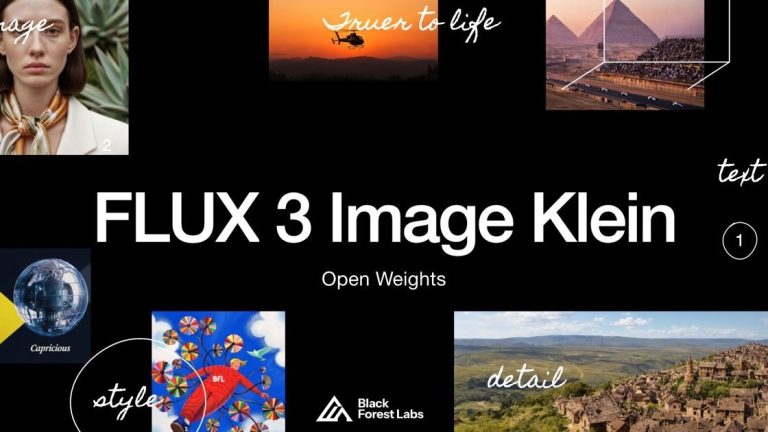
FLUX 3 Image Klein is the first FLUX 3 model Black Forest Labs has let you download. It has 5.6 billion parameters, it generates and edits images, and BFL says it runs on a single consumer GPU. Within days it was sitting near the top of Hugging Face’s trending models list, with the main checkpoint and the ComfyUI repackage both charting.
For editors and motion designers, the useful part is not the parameter count. It is that thumbnails, title-card art, storyboard frames and reference-driven edits can now run on your own machine, with no per-image bill and nothing leaving the building.
What Klein Actually Does
Klein shares its job description with the hosted FLUX 3 Image model. According to BFL’s Klein page, it handles text-to-image, instruction-based editing and multi-reference composition in one model. The BFL release notes add the details a working artist cares about: up to ten reference images per request, native output up to 4K, and bounding boxes that let you say where an element goes in the frame.
That last one is the feature that made the hosted model interesting for design work, and we covered it in our FLUX 3 Image guide. Klein inherits it. References are called out in the prompt as “image 1”, “image 2” and so on, according to ComfyUI Wiki’s write-up of the release.
There are two checkpoints. The distilled one is built for speed: per BFL’s notes it runs 16 steps with no guidance. The base checkpoint is the one for fine-tuning and LoRA training, and it is slower, at 50 steps. If you want a house style for a channel or a client, the base model is your starting point.
Running It at Home
BFL says Klein’s weights run on consumer GPUs, down to an RTX 3090 in its release notes. ComfyUI support landed the same day, with four official templates: text-to-image and image edit, each for the base and distilled checkpoints. ComfyUI Wiki lists an INT8 build of about 5.8 GB and a BF16 build of about 11.1 GB, and puts the minimum at 8 GB of VRAM on NVIDIA cards using the INT8 files. Its quoted generation times for a one-megapixel image run from roughly four seconds on an RTX 5090 to roughly nine on an RTX 4070.
Treat those as one outlet’s figures. The official model card quotes much bigger numbers, 25 to 31 GB of peak memory, but those are for BFL’s reference code on a data-center card, not the quantized ComfyUI builds. Which one you hit depends on how you run it.
The model card is also blunt about what Klein is bad at. Text rendering “may be inaccurate or distorted,” so a title card still needs a real type pass in your editor. Bounding boxes set placement and scale, not a hard mask, so an element can spill past its box. And the card says short prompts produce generic output: it asks for full scene descriptions covering framing, subject, background and lighting, and recommends a prompt upsampler. That matches what most image models do when you feed them four words.
What It Costs and What You’re Allowed to Do
Self-hosting is free to try, but the license is not a free-for-all. The weights ship under the FLUX Kommunity License. Per the model card, non-commercial use is free, and commercial output generation is allowed for qualifying users with under US$5 million in gross annualized revenue. Bigger operations need a separate license from BFL. A freelancer or small studio is covered; a post house with serious revenue should read the terms before building a pipeline on it.
If you would rather not run a GPU, the hosted endpoint is cheap. BFL lists Klein at $0.009 per image at 1K and $0.036 at 4K, with text-to-image and editing priced the same.
Where It Fits in an Edit
The sensible jobs for Klein are the unglamorous ones. Thumbnail variants for a video series. Key art that has to keep the same face across ten references. Storyboard frames where a bounding box puts the hero prop where the director wants it. Plates for a title sequence that you then animate or grade in Resolve or Premiere.
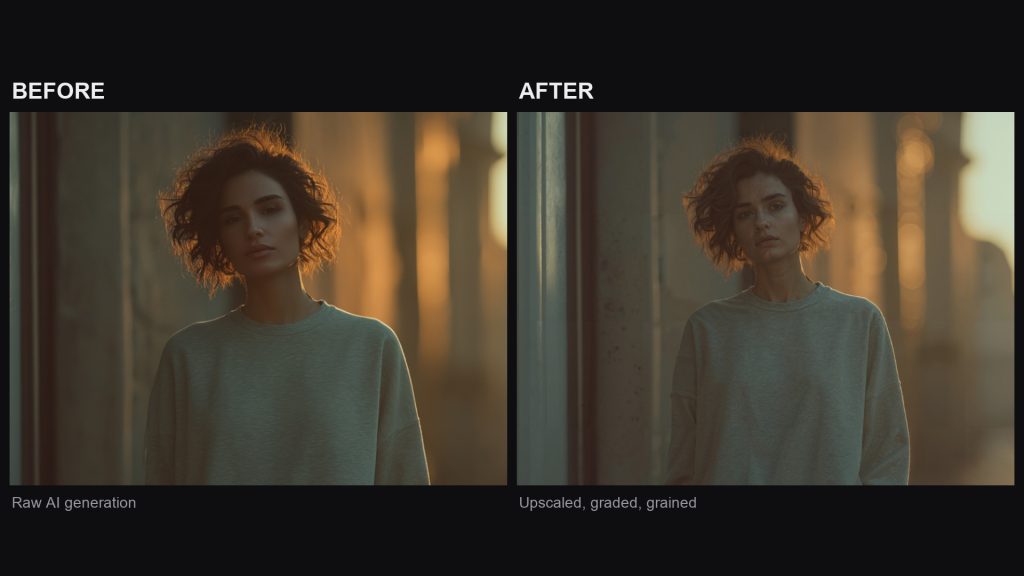
Generated stills carry the same tell as generated video: they are too clean. Before one goes into a timeline next to real footage, give it texture. A real film scan laid over the frame does more than any sharpening slider, which is why we keep a free film grain download and a real film scan versus digital grain comparison on the site for exactly this finishing step.
The Verdict
An open model that edits, takes ten references and places elements by box is a real tool, and a local one changes the economics for anyone making dozens of frames a day. The license limits and the text-rendering warning are the fine print. Download it, run the distilled checkpoint first, and keep your type in the edit where it belongs.
Sources: Black Forest Labs, FLUX 3 Image Klein; Black Forest Labs, release notes; Black Forest Labs, Hugging Face model card; ComfyUI Wiki, FLUX 3 Image Klein; Hugging Face trending models.