Suno has been building a platform around one promise: music made from a text prompt. Now it has expanded that premise. Speech, now in open beta, generates a spoken-voice track and a custom background score together, as a single piece of audio, in one pass. The company describes it as “the first audio model that generates voice and music together as one cohesive track.” Whether that exact claim survives independent scrutiny is less important than the practical reality: you type an idea, describe the voice and the musical style you want underneath it, and what you get back is one finished file rather than a narration and an underscore that someone still has to marry up.
Photo: Pexels License
What Speech Actually Does
The input is a script or a rough idea — a poem, a speech draft, a pep talk — plus a description of the voice character and the musical backdrop. Suno’s own examples include bedtime stories over soft piano, hype speeches over stadium drums, and ASMR-style grocery lists. There’s an Advanced mode that lets you set the voice’s gender, speech style, and how much variation each generation will produce. The output is a single audio track with both elements baked in together, up to eight minutes long.
Jack Brody, Suno’s Chief Product Officer, framed the launch as part of a longer vision. The company’s goal, he said, has always “extended to other forms of human expression” beyond music. Speech is available to all users on web, iOS, and Android — no paid tier required — after a month of closed testing.
What Suno v6 Changed Before Speech Arrived
Speech arrived on the heels of a bigger structural change. Suno recently rolled out its v6 model family — three tiers: v6 (flagship, controlled and polished), v6-wild (exploratory, unpredictable), and v6-mini (free for everyone). The notable thing about v6 is not the quality jump but the training data behind it: the models were built with licensed catalogs from Warner Music Group, BMG, and Believe. Suno settled its copyright lawsuit with WMG last year; v6 is the first model built under that licensing framework. That matters for commercial use — content created with v6 sits on cleaner legal ground than what came before.
The v6 generation supports editing individual sections of a generated song via a plain-language prompt, building mashups from multiple sources, and accepting images and video as reference inputs alongside text. With Speech, Suno now has a coherent answer to a question a lot of video and podcast creators have been asking for a while: can you get narration and music in the same step instead of two separate pipelines?
The Real Use Cases for Video Creators
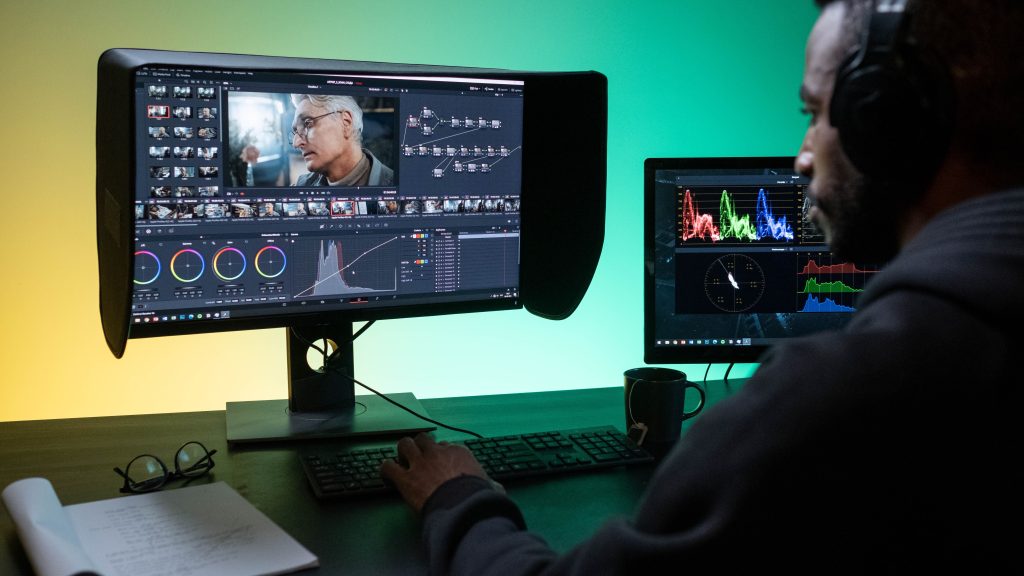
The old workflow was: write a script, use ElevenLabs or a similar text-to-speech tool for the voice, then source or generate music separately, import both into your edit, and spend time balancing them so the narration sits clearly above the score without the two fighting each other. Speech collapses those steps into one. That’s genuinely useful for quick turnarounds — YouTube intros, social content, podcast bumpers, explainer narration, demo reels. The voice and the music are already mixed in context with each other, because they were generated together.
For long-form or professionally produced work, the question is whether the output holds up. The eight-minute cap means a full podcast episode isn’t currently a single generation. And the integration with Suno’s existing editorial tools — v6’s lyric-level editing, its multimodal reference inputs — means the platform is building toward something more modular over time.
What’s Not in the Beta — and Why That Matters
Suno is unusually candid in its own documentation about what Speech can’t do yet. The company’s release notes note that British accents “can wander off to Australia and back,” that “dramatic pauses may be very dramatic,” and that “beta really does mean beta.” Voice cloning from a reference sample isn’t available yet, which means you’re working from Suno’s library voices rather than your own or a client’s. Word-level timing control and exact-duration targeting are also absent, which limits how precisely you can sync the narration to a cut.
Those gaps matter if you’re evaluating this for professional production. They don’t matter much if you’re evaluating it for the kind of content where one good generation gets you close enough to use. Suno hit two million subscribers and crossed $300 million in annualized revenue before Speech launched — so there’s a large user base already familiar with the platform’s iteration pace. A beta that ships honest about its rough edges tends to improve faster than one that pretends to be finished.
How to Start
Speech is live at suno.com and in the Suno iOS and Android apps for all users. Open a new creation, switch to Speech mode, write or paste your text, describe what you want the voice and music to sound like, and generate. The Advanced panel gives you control over voice character if you want more than the defaults. Start with something short — 30 to 60 seconds — to get a feel for how the voice and music relationship works before committing a full script to it.
This is one step, not the whole production. What it generates still needs a mix, still needs editing to picture if you’re cutting it into video, and still benefits from thinking about how the audio sits in the context of everything else in the sequence. But collapsing two tools into one is a real workflow change. Watch what the next few months of iteration produce.
Sources:
TechCrunch — Suno replaces its AI models with a new one trained on licensed music
Gizmodo — AI Song Generator Suno Releases New Model Developed With Warner Music
Rolling Stone — Is AI Music Going Legit? Suno Launches New Models Built on a Major Label Catalog
Suno — Release Notes (official, Speech beta release notes)
Unite.AI — Suno launches Speech Beta, Pairing Voice and Music in One Model
CryptoBriefing — Suno launches Speech tool that adds background music to spoken-word audio