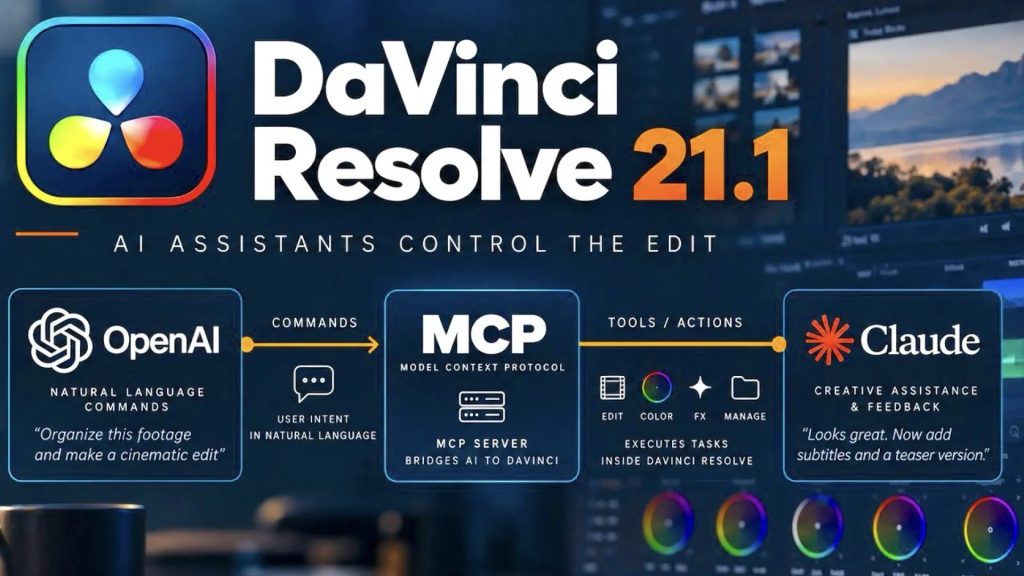
Blackmagic Design has pushed out DaVinci Resolve 21.1, and despite the modest point-release number, it’s one of the meatier updates the software has gotten this year. The free update adds AI assistant integration, reworks how colorists handle HDR delivery, and quietly moves a longtime free feature behind the Studio paywall. Grant Petty, CEO of Blackmagic Design, called it straightforward: “DaVinci Resolve 21.1 delivers the features our customers have been asking for, and because it’s a free update, everyone can start using these tools right away.”
Individual HDR Trims Finally Arrive
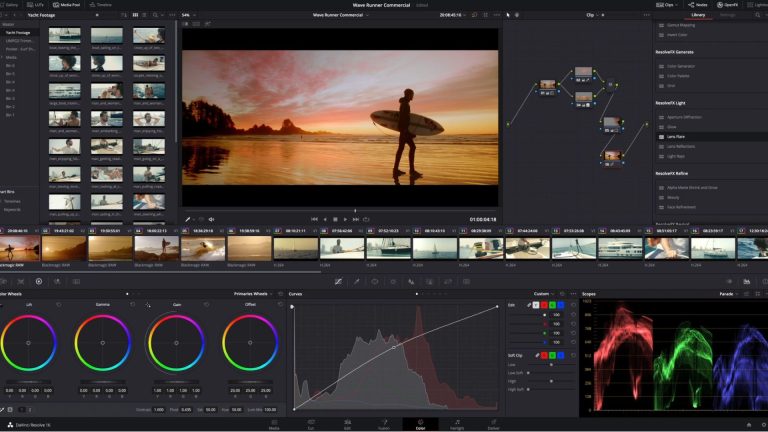
The most consequential change lives on the Color page. Resolve’s MultiMaster Trim manager now supports individual trim passes for Dolby Vision, HDR10+, and HDR Vivid, instead of forcing one trim to carry across every HDR delivery format at once. As both Newsshooter and CineD confirmed in their coverage, that had been a real limitation for colorists working multi-format HDR deliverables, where a tweak meant to satisfy Dolby Vision spec could throw off an HDR10+ pass that never needed the adjustment. Being able to dial each format separately isn’t flashy, but it’s the kind of fix that saves an actual finishing session from turning into a guessing game.
An AI Assistant That Stays Out of the Grade
The headline feature is a native MCP (Model Context Protocol) server, letting Studio users connect Resolve to Claude, Claude Code, or ChatGPT Codex and issue conversational commands to analyze projects, organize media, adjust settings, and batch render. CineD’s Nino Leitner made a useful distinction in his write-up: rather than building a proprietary chat panel like Adobe has done in Premiere Pro, Blackmagic opened Resolve up so an editor’s existing AI tools can reach into the software directly. In practice that points the AI at the logistical grunt work, sorting media, pulling highlight cuts from long-form footage, queuing renders, not at making creative color or cut decisions. That’s a sane place to draw the line for a tool that touches footage people still need to trust.
Python Scripting Moves Behind the Paywall
Less celebrated: advanced scripting, including built-in Python console support, is now a Studio-exclusive feature, and Python 2 support has been dropped entirely. Newsshooter’s coverage confirms both changes directly. It’s a small line item next to the AI headlines, but for students, hobbyists, and small shops running free Resolve who’d built automation scripts around the free Python console, it’s a real workflow hit, not just a spec-sheet footnote.
Multicam, Fusion, and Photo Page Gains
The Edit page picks up multicam support for up to 25 angles with new keyboard shortcuts, a dedicated multicam mode button in the timeline viewer, and the ability to split multicam clips at timecode gaps, useful for anyone cutting panel discussions, docs, or live-event footage with a wall of ISO feeds. The trim editor now lets you drag directly in the viewer for frame-accurate adjustments. Fusion gains more than 25 new Krokodove shape and 3D tools for motion graphics and compositing work. And the Photo page, still Resolve’s newest addition, now reads native files from Fujifilm’s GFX and X Series, Leica’s SL-System, and additional Sony Alpha bodies without a conversion step first, folding still shooters further into a tool most people still think of as strictly a video app.
What Actually Matters Here
Strip away the AI-assistant marketing copy and the real news in 21.1 is the HDR trim overhaul and the multicam upgrades, both of which fix workflow friction colorists and editors have been living with for a while. The MCP integration is genuinely new territory, and it’s smart that Blackmagic pointed it at project logistics instead of the grade itself. But the Python scripting change is the part worth watching: free tools quietly losing capability while paid tiers gain AI features is a pattern worth keeping an eye on across the industry, not just at Blackmagic. Grading is still a human decision made one trim pass at a time. This update just gives you more passes to make it with.
Sources:
- Newsshooter — Matthew Allard ACS, “Blackmagic Design DaVinci Resolve 21.1” (September 7, 2026)
- CineD — Nino Leitner, “DaVinci Resolve 21.1 Released – AI Assistant Integration via MCP, Individual HDR Trims, and Python Scripting Moves to Studio” (September 2026)
- CG Channel — Jim Thacker, “Blackmagic Design releases DaVinci Resolve 21.1” (September 8, 2026)
- Sports Video Group, “IBC 2026: Blackmagic Design Releases DaVinci Resolve 21.1” (September 9, 2026)
- Digital Cinema Society, “Blackmagic Announces DaVinci Resolve 21.1 with Major AI Assistant Integration and New Color Tools”